
Accept All Email vs. Catch All Email: Understanding the Differences
Accept-all and catch-all describe the same server behaviour from two angles. Learn what it means for your list and how to handle these addresses.
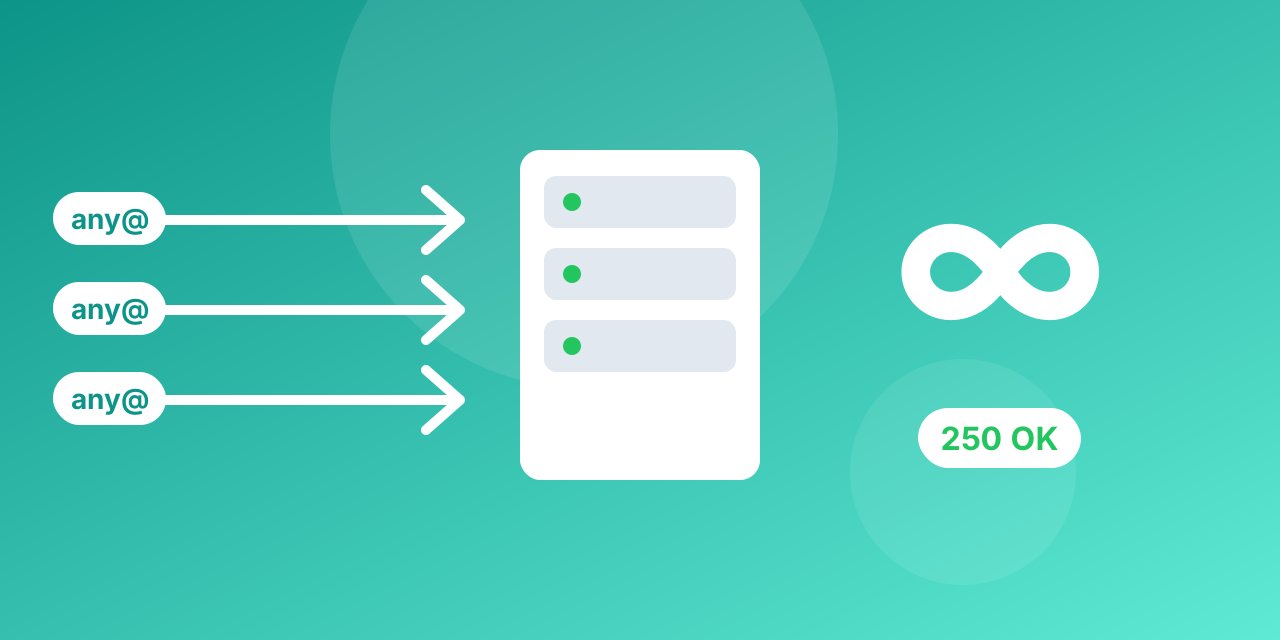
Both terms describe a mail server that accepts mail for any address at its domain, whether or not a mailbox exists.
Same behaviour, two names
- Catch-all is how the server is configured: all mail to the domain goes to one inbox.
- Accept-all is how a verifier sees it: the server answers "yes" to every address, so the mailbox cannot be confirmed.
Why it is a problem
Because the server accepts everything, verification cannot prove a specific address is real. The message may reach a person, a shared inbox, or nobody. Some servers bounce it later.
How to handle them
- Do not delete them automatically; many belong to real companies.
- Put them in a separate segment and send at a lower volume.
- Watch their bounce and engagement; keep only those who respond.
- Prefer addresses that were confirmed by the person (double opt-in).
Rule of thumb
Treat accept-all as risky, not invalid. Mailbite labels them so you can decide per campaign.
How verifiers actually detect accept-all domains
A verifier cannot see inside a mailbox, so it asks the receiving server. It connects to the mail server for the domain and starts a normal SMTP conversation, but stops before any message is sent. For a real address, a normal server answers "recipient accepted". To spot a catch-all, the verifier also asks about an address that cannot possibly exist, such as a long random string at the same domain. If the server accepts that one too, the domain is flagged as accept-all and every address on it gets the same label, because the server's "yes" no longer proves anything.
What the numbers usually look like
On business lists, accept-all addresses commonly make up somewhere between 5% and 20% of the file, and the share is higher for lists of small companies and lower for consumer addresses such as Gmail or Outlook. Treat these figures as a rough range, not a promise: your own list can be well outside it. What matters is that the group is large enough to hurt you if you ignore it, and valuable enough that you should not throw it away.
A practical sending plan
- Send to valid addresses first. Build your main campaign on addresses marked valid and keep accept-all out of the first wave.
- Test the accept-all group in small batches. Send 5% to 10% of it and read the bounce and complaint rates before sending more.
- Keep the engaged ones. Anyone who opens or clicks moves to your normal list. Anyone who never reacts after two or three sends goes to a suppression list.
- Do not mix them into cold outreach at full volume. A burst of bounces to one company domain is exactly what damages a new sending domain.
Signals that an accept-all address is probably real
- It follows a clear personal pattern such as [email protected].
- The person appears on the company website or on a professional profile.
- The address replied to you before, or came from a signup form with confirmation.
- The domain belongs to a company with a real website and other verified addresses on the same list.
Role addresses such as info@, sales@ or support@ on accept-all domains are the weakest group. They often forward to a shared inbox that nobody reads closely.
Frequently asked questions
Is accept-all the same as invalid? No. Invalid means the server said the mailbox does not exist. Accept-all means the server said yes to everything, so nothing is confirmed.
Will these addresses bounce? Some will, some will not. The server may accept the message and then reject it later, which shows up as a delayed bounce.
Should I remove them before a campaign? Not automatically. Segment them and send carefully, as described above.
Can a verifier fix this? No verifier can prove a mailbox behind a catch-all server. The honest answer is a risk label, which is what a good service gives you.
You can check a single address with the free email checker or clean a whole file with bulk email verification. Plans and the free monthly allowance are on the pricing page.
Reading the server's answer
Behind every label there is a short numeric reply from the mail server. Knowing the main families helps you understand why a result looks the way it does.
- 250: the recipient was accepted. On a normal server this means a mailbox exists. On a catch-all server it means nothing, because the same answer is given to any address.
- 550 or 551 or 553: a permanent refusal. The mailbox does not exist or is not allowed. These addresses are invalid.
- 552 or 452: the mailbox is full or over its limit. The address is real but cannot receive mail right now.
- 450, 451 or 421: a temporary problem, often greylisting or a busy server. The right move is to retry, not to delete.
Only the first group is the subject of this article, and it is the least informative one on a catch-all domain.
Different lists, different rules
- Newsletter with double opt-in: the person confirmed the address themselves, so an accept-all label matters little. Keep it.
- Imported or older list: send to valid addresses first, then test the accept-all group in small batches as described above.
- Cold outreach: be strict. Send to accept-all addresses only when you have a second signal that the person is real, such as a profile that matches the address pattern.
- Transactional email: you are writing to someone who just signed up, so the address was typed by a real person. Use a signup check to catch typos instead of worrying about accept-all.
Measure it instead of guessing
Split your accept-all group into two halves. Send the same message to both on different days and compare the bounce and complaint rates with your valid group. If the accept-all halves perform close to the valid group, keep them. If bounces climb, keep only the people who engaged. The point is to make the decision from your own numbers, because the share of dead addresses behind catch-all servers differs from list to list.
Common mistakes
- Deleting every accept-all address. You lose real prospects and customers.
- Sending them at full volume on a new domain. A sudden burst of bounces from a fresh sender is the fastest way to hurt reputation.
- Treating "risky" as "invalid". They are different results with different actions.
- Never re-checking. A catch-all setting can change when a company changes its mail provider.
Glossary
- Catch-all: a server setting that routes mail for any address at the domain to one mailbox.
- Accept-all: the verifier's name for a server that answers yes to every recipient.
- Hard bounce: a permanent delivery failure.
- Soft bounce: a temporary failure that may succeed later.
- Role address: a shared address such as info@ or support@ rather than a person.
